2D Drafting
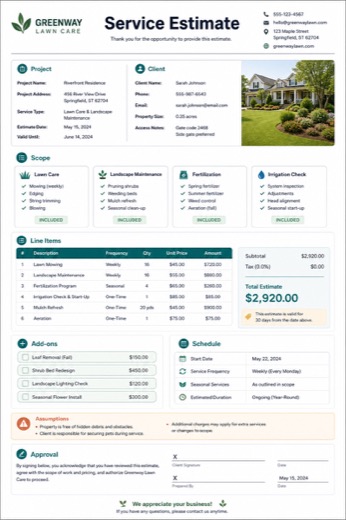
RecommendedStyle reference only. Final output follows your content.
ScopeDimensionsLayersExport
Advanced tasks
Submit measurements, sketches, references, and output requirements. TinyForge creates a worker-ready CAD brief for drafting, model cleanup, review, and delivery.
Ready-to-use output
Describe the deliverable, upload source files, and create a structured request packet that a worker or reviewer can use for fulfillment.
You receive a structured request brief with source-file notes, acceptance criteria, production steps, and backup email.
Generate Now
Describe the job, upload source files, choose a delivery style, and create a worker-ready production request for review and fulfillment.
Request structure only. Final fulfillment can be handled by worker review.
CAD Drawing Brief
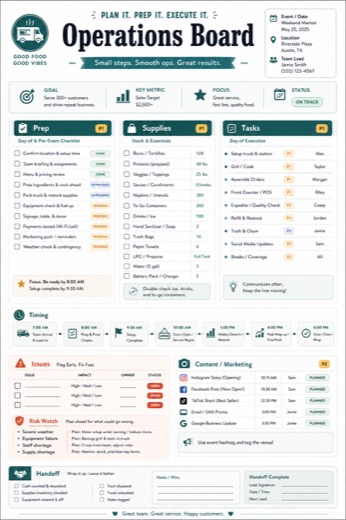
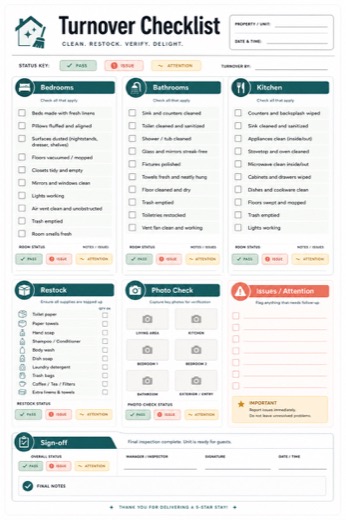
Each template is a visual style reference. The final sections and wording are generated around your actual topic and content.
Sample previews are for reference. Your final deliverable is generated from the content you submit, and the detail level follows how much useful information you provide.
Style reference only. Final output follows your content.
Style reference only. Final output follows your content.
Style reference only. Final output follows your content.
Benefits
Confirm the details first, then generate the complete copy-ready version after checkout.
Confirm the details first, then generate the complete copy-ready version after checkout.
Confirm the details first, then generate the complete copy-ready version after checkout.
How it works
Step 1
Step 2
Step 3
Pricing
The request package captures the source files, scope, acceptance criteria, and delivery plan. After delivery, the backup email includes a secure edit link for follow-up changes.
Confirm the deliverable type, source files, style, and deadline before the job is handed to a worker.
This is built for higher-touch tasks. Final fulfillment can be reviewed, uploaded, delivered by email, and adjusted through the secure edit workflow if the first delivery needs changes.
FAQ
CAD Drawing Request is designed as an advanced fulfillment request. The first output is a structured production brief that a worker or reviewer can use for delivery.
Yes. The intake supports PDF, DOCX, TXT, and Markdown files, plus pasted instructions where relevant.
The advanced workflow is designed to support a needs-review step before final files are delivered to the customer.
No. Each advanced request is treated as a one-time job scope.
Related tools
Upload a resume, add the target role, and generate a precise worker handoff for resume cleanup, keyword alignment, formatting, and delivery.
Open generatorPaste text or upload a document, choose the cleanup level, and create a worker-ready brief for correction, rewriting, formatting, and delivery.
Open generatorUpload or describe a poster, product image, or graphic ad and create a worker-ready brief for turning it into a short video advertisement.
Open generatorUpload a DOCX file or paste text from Word, reports, lessons, or docs and turn it into a structured mind map PDF with hierarchy, key points, review notes, and PNG download.
Open generatorEnter a topic, chapter, or learning idea. TinyForge creates a concept map, chapter breakdown, glossary, worked examples, practice area, and review plan. More complex topics can expand into a deeper 12-20 page workbook.
Open generatorShare your cities, trip length, travel pace, interests, constraints, and comfort level. TinyForge structures them into a professional itinerary with scenic spot cards, daily timing, route logic, food ideas, transport notes, backup plans, and downloadable PDF, PNG, and mind map files.
Open generator